Concepts of a Process
Before scheduling or deadlocks make any sense, we must be crystal clear about what a process is. Start here — every term is explained before it is used.
A program is a set of instructions written to perform a task. It is a passive entity stored on disk, such as an executable file or source code, waiting to be launched. A process is the program in execution. When you double-click an app, the operating system copies the program's instructions from disk into main memory (RAM), gives it a unique number called a PID (Process ID), reserves memory for it, and starts executing its instructions on the CPU.
Real-world analogy: The recipe and the cooking
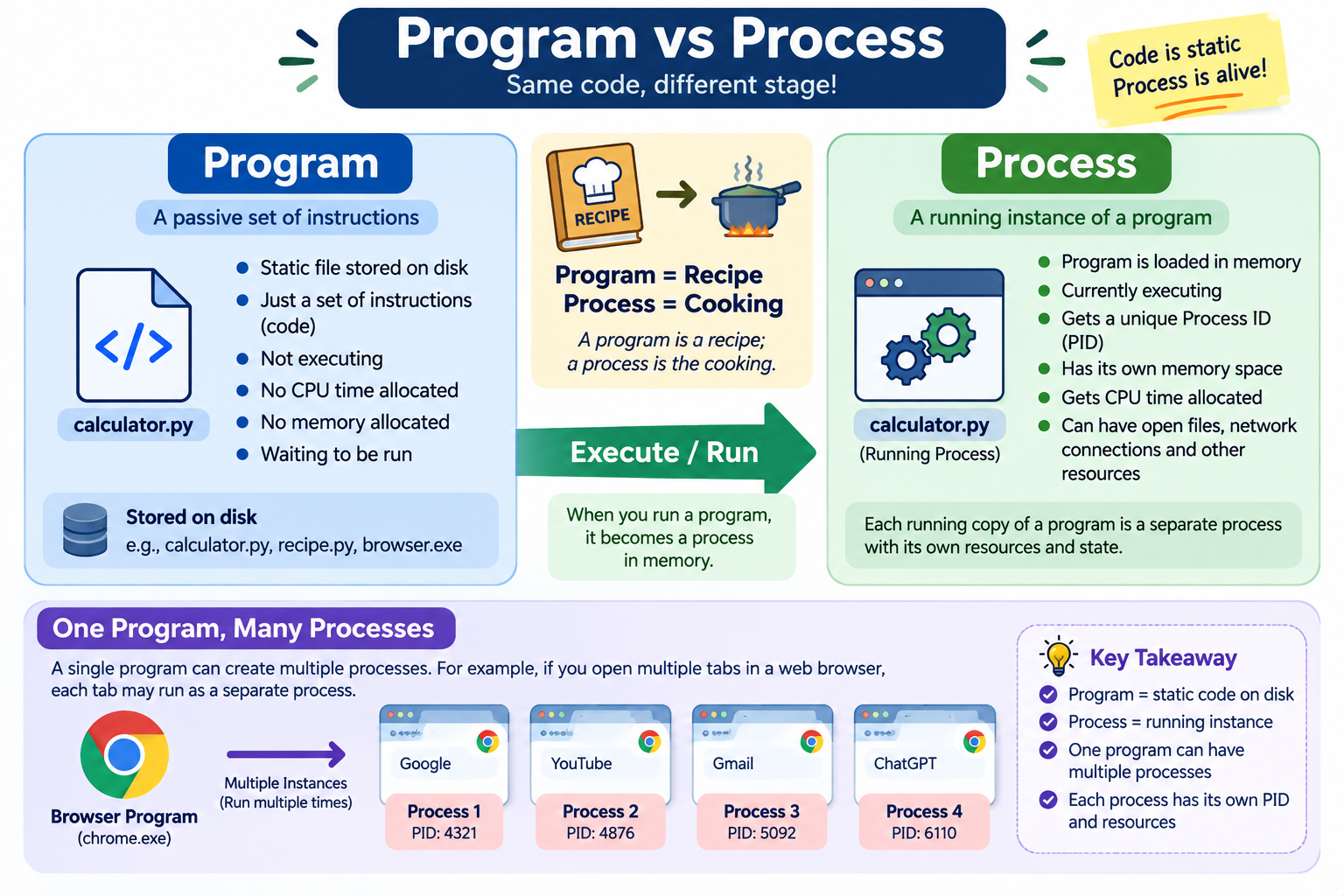
Click “Run this program” several times. Notice the program on the left never changes, while each click creates an independent process with its own PID.
Program (on disk — passive)
// calc.exe
int main() {
  print("Hello");
  return 0;
}Processes (in memory — active)
No process yet. One program can be started many times — each start creates a brand new process with its own PID and its own memory.
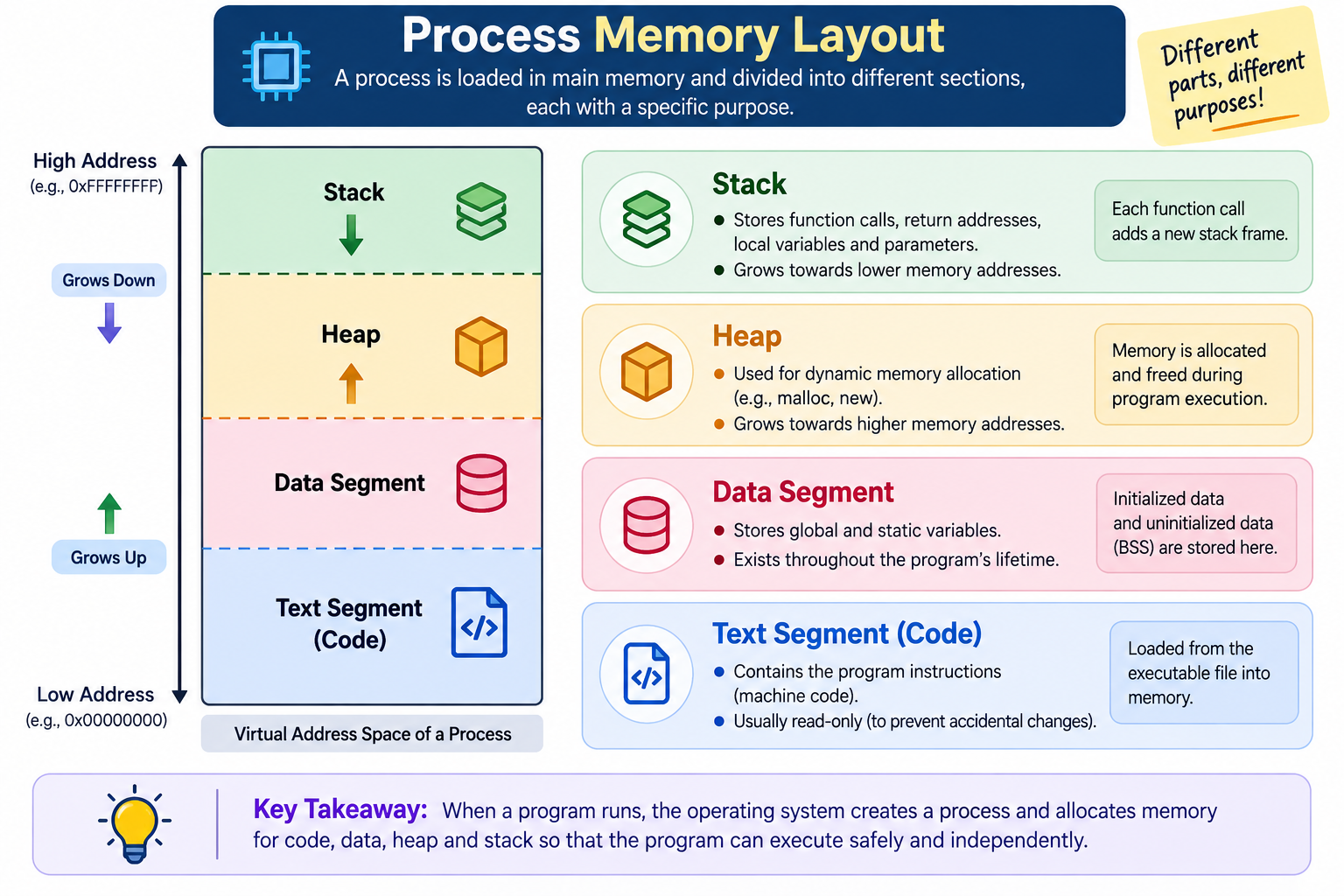
| Segment | Purpose | Key characteristics |
|---|---|---|
| Stack | Stores temporary runtime data like function parameters, return addresses, and local variables. | Works in a LIFO (Last In, First Out) manner. |
| Heap | Used for dynamic memory allocation during runtime. | Memory is allocated and freed manually (or via garbage collection in some languages). |
| Data Segment | Stores global and static variables. | Exists throughout the entire program execution. |
| Text Segment | Contains the actual compiled program instructions. | Read-only section, also includes program counter information. |
| Point | Program | Process |
|---|---|---|
| Nature | Passive (static) | Active (dynamic) |
| Location | Stored on disk | Loaded in main memory |
| Lifetime | Exists until deleted | Exists until it terminates |
| Resources | Needs none | Needs CPU, memory, files, I/O |
| Count | One copy of the file | Many processes from one program |
| OS record | None | Has a PCB in the OS |
1. Which statement is TRUE?
2. What do two threads of the same process NOT share?
You open the Chrome browser three times and each window opens two tabs handled by separate threads. How many processes and how many threads exist (counting only these)?